Are you struggling to find the perfect agile project management tool for your team? With countless options available, it is very hard to make a list of the best agile project management software tools, and selecting the right tool can feel overwhelming. This guide will walk you through the essential features of top agile tools, compare the best options for 2024, and provide practical tips for choosing and implementing the ideal solution. You will have the knowledge and confidence to select a tool that will streamline your workflows and boost your team’s productivity.
What Makes a Great Agile Project Management Tool?
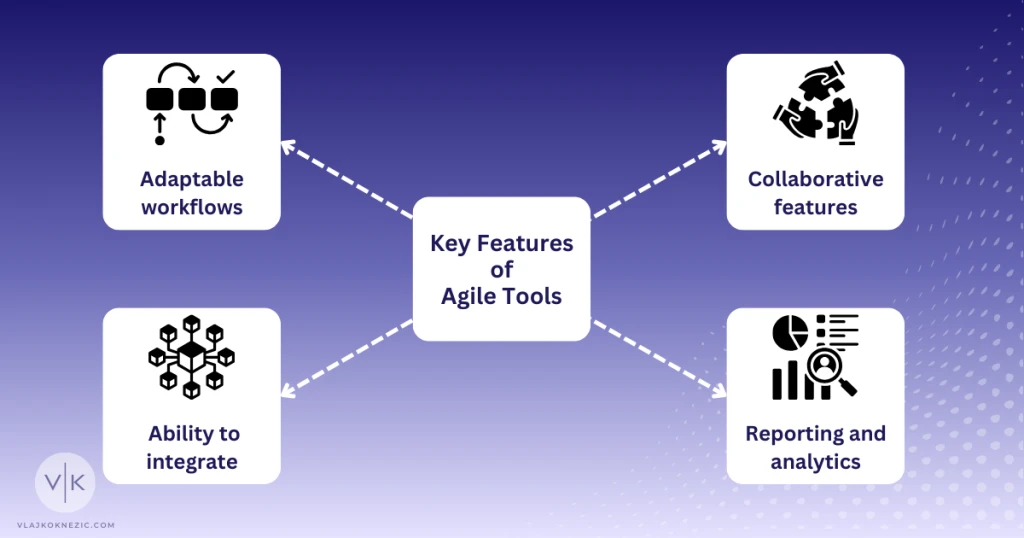
When searching for the perfect agile project management tool, several key factors come into play. A top-notch tool should offer a robust set of features that align with agile methodologies. This includes support for sprints, backlogs, and kanban boards. User-friendly interfaces are essential for smooth adoption and daily use. The best tools strike a balance between simplicity and functionality.
Integration capabilities are another crucial aspect to consider. Your chosen tool should play well with other software your team uses regularly. This might include version control systems, communication platforms, or time-tracking apps. Seamless integrations can significantly boost productivity and streamline workflows.
As your team grows, your project management tool should grow with you. Scalability and flexibility are vital for accommodating expanding teams and evolving project needs. Look for tools that offer customizable workflows and the ability to handle multiple projects simultaneously.
Reporting and analytics functionalities provide valuable insights into your team’s performance and project progress. Seek out tools that offer customizable dashboards, burndown charts, and velocity tracking. These features can help you make data-driven decisions and continuously improve your processes.
10 Best Agile Project Management Software Tools for 2024
Here is the list of the top 10 agile project management tools in no particular order.
ClickUp

ClickUp is a versatile project management tool that caters to various team sizes and industries. It offers customizable views, including list, board, and Gantt chart options. The tool’s features include task dependencies, time tracking, and a built-in docs feature for collaboration. ClickUp’s pricing is competitive, with a free plan available and paid plans starting at $7 per user per month. Users commend its flexibility and wide range of integrations. It’s particularly well-suited for teams that need a highly customizable solution.
Jira

Jira, developed by Atlassian, is a popular choice for software development teams. It provides robust support for agile methodologies, including Scrum and Kanban. Jira’s standout features include advanced reporting, customizable workflows, and a powerful API for integrations. Pricing starts at $7.75 per user per month for small teams. It has a comprehensive feature set and scales well. However, the reach feature set adds to the complexity of usage. Jira is best for software development teams and larger organizations with complex project management needs.
Trello

Trello offers a simple, intuitive interface based on the Kanban board concept. Its standout features include easy-to-use cards, list-making capabilities, and a wide range of power-ups for added functionality. Trello provides a free plan, with paid plans starting at $5 per user per month. Users love its simplicity and visual approach to task management. It’s ideal for small to medium-sized teams and projects that don’t require complex workflows.
Asana
Asana is known for its clean interface and versatile project views. It offers features like task dependencies, custom fields, and workload management. Asana’s pricing starts with a free plan for teams of up to 15 members, with paid plans beginning at $10.99 per user per month. Users appreciate its intuitive design and collaboration features. It’s well-suited for teams across various industries, particularly those focused on task management and team coordination.
Monday.com
Monday.com offers a visually appealing and highly customizable platform. Its standout features include colorful boards, timeline views, and automation capabilities. Pricing starts at $12 per user per month for the basic plan. Users praise its user-friendly interface and flexibility. Monday.com works well for teams of all sizes and across various industries, especially those who value visual project management.
ProofHub
ProofHub is an all-in-one project management and team collaboration software. It offers features like Gantt charts, kanban boards, and time tracking. ProofHub’s pricing is based on flat rates rather than per-user fees, starting at $45 per month for unlimited users. Users appreciate its comprehensive feature set and affordability for larger teams. It is suitable for businesses looking for a centralized platform for project management and team collaboration.
Mural

Mural is a digital workspace for visual collaboration. It provides virtual whiteboards for brainstorming, planning, and team activities. Mural’s standout features include customizable templates, facilitation tools, and integration with popular work apps. Pricing starts at $9.99 per member per month. Users value its ability to foster creativity and engagement in remote teams. It’s particularly useful for design thinking, strategic planning, and creative collaboration sessions.
Smartsheet
Smartsheet combines the familiarity of spreadsheets with powerful project management features. It offers Gantt charts, resource management, and automated workflows. Pricing starts at $7 per user per month for the Pro plan. Users appreciate its flexibility and spreadsheet-like interface. Smartsheet is well-suited for teams transitioning from traditional spreadsheets to more robust project management tools.
Zoho Sprints

Zoho Sprints is tailored specifically for agile project management. It provides features like customizable scrum boards, sprint planning tools, and velocity charts. Pricing is competitive, starting at $12 per user per month for teams of 5 or more. Users value its focus on agile methodologies and integration with other Zoho products. It’s ideal for teams fully committed to agile practices, particularly in software development.
Teamwork
Teamwork offers a comprehensive suite of project management tools. Its features include task management, time tracking, and resource planning. Pricing starts at $10 per user per month for the Deliver plan. Users appreciate its balance of functionality and ease of use. Teamwork is well-suited for agencies, client-facing businesses, and teams that require detailed project tracking and client reporting.
Comparing the Best Agile Project Management Tools
When comparing agile project management tools, it’s essential to look at their features side by side. Most tools offer core functionalities like task management, team collaboration, and project tracking. However, the implementation and depth of these features can vary significantly.
For example, while all tools provide some form of task management, Jira offers more advanced options for software development teams, such as issue tracking and sprint planning. ClickUp and Asana, on the other hand, provide more versatile task management suitable for various industries.
Pricing is another crucial factor to consider. Some tools, like Trello and Asana, offer free plans with limited features, which can be great for small teams or those just starting with project management software. Others, like Monday.com and Smartsheet, focus on paid plans with more advanced features.
Each tool has its strengths and weaknesses. Trello excels in simplicity but may lack advanced reporting features. Jira offers powerful customization but can have a steeper learning curve. ClickUp provides a wide range of features but might feel overwhelming for some users.
The best tool for your team depends on your specific needs. Small teams might prefer the simplicity of Trello or Asana. Larger organizations or software development teams often lean towards Jira or ClickUp. Creative teams might find Mural’s visual collaboration features particularly useful.
How to Choose the Right Agile Project Management Tool for Your Team
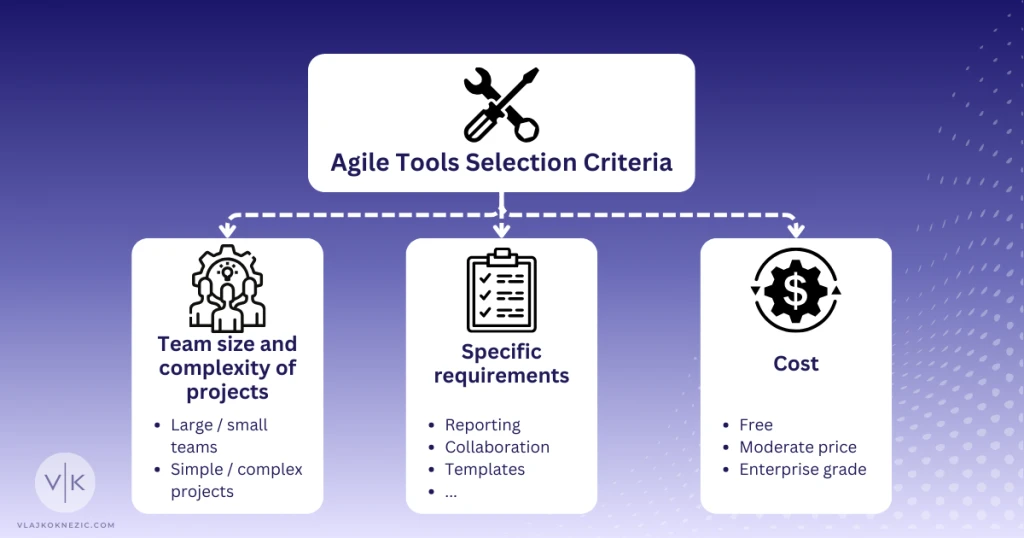
Selecting the right agile project management tool starts with a thorough assessment of your team’s needs. Consider the size of your team, the complexity of your projects, and your specific workflow requirements. Make a list of must-have features and nice-to-have additions.
Your budget plays a significant role in the decision-making process. Some tools offer more affordable options for small teams, while others might provide better value for larger organizations. Don’t forget to factor in potential costs for add-ons or integrations you might need.
The learning curve and onboarding process are crucial factors to consider. A tool with a steep learning curve might offer powerful features but could slow down your team’s productivity initially. Look for tools that provide comprehensive onboarding resources, such as tutorials, documentation, and customer support.
Taking advantage of free trials or demos is an excellent way to test drive different tools. This hands-on experience can give you valuable insights into how each tool fits your team’s workflow. Pay attention to the user interface, ease of navigation, and how well the tool aligns with your agile practices.
Involving your team in the selection process can lead to better adoption rates. Gather feedback from team members who will be using the tool daily. Their input can highlight practical considerations that might not be apparent from a management perspective.
Tips for Implementing a New Agile Project Management Tool
Implementing a new agile project management tool requires careful planning and execution. Start by creating a detailed rollout plan. This should include timelines for setup, training, and full implementation. Consider a phased approach, starting with a pilot group before expanding to the entire team.
Effective training is key to successful adoption. Offer a mix of training methods to cater to different learning styles. This might include video tutorials, written guides, and hands-on workshops. Focus on the features that are most relevant to your team’s daily work.
When setting up initial projects and workflows, start with a template that closely matches your current process. This can help ease the transition. As your team becomes more comfortable with the tool, you can gradually optimize and customize the workflows.
Establishing best practices for tool usage is crucial for maintaining consistency and efficiency. Create guidelines for task creation, status updates, and communication within the tool. Regularly review and update these practices based on team feedback and changing needs.
Monitoring adoption and gathering feedback should be an ongoing process. Use the tool’s analytics features to track usage patterns and identify areas where additional support might be needed. Encourage open communication about the tool’s strengths and weaknesses. This feedback can guide future improvements and ensure the tool continues to meet your team’s evolving needs.
To wrap up, selecting the right agile project management tool is essential for team success. Consider key features, user-friendliness, integration capabilities, scalability, and reporting functions. Compare top tools, assess your team’s needs, budget, and learning curve. When implementing, create a rollout plan, train your team, set up workflows, and gather feedback. With the right tool and approach, your team can boost productivity and collaboration in agile project