Jira and Confluence: Tools for Agile Project Management
Table of Contents
In this article, we will provide a detailed overview of two significant tools widely used in project management: Jira and Confluence. We will discuss their purpose, how they function, and the specific ways they contribute to improving project management processes. By the end of this post, you should have a clear understanding of these tools and their relevance in today’s business environment.
Importance of Project Management Tools in Today’s Business Environment #
Modern businesses involve many tasks, processes, and interactions, making project management complex. Amidst this complexity, project management tools like Jira and Confluence serve as critical aids. They offer structured ways to track tasks, manage resources, and facilitate effective communication, thereby reducing inefficiencies and ensuring projects progress smoothly.
Confluence and Jira are not just optional add-ons in the modern workspace; they have become essential components of project management. They bring clarity to the chaos, ensuring everyone involved in a project knows their tasks, deadlines, and how their role fits into the bigger picture.
Confluence and Jira are products developed by Atlassian, each serving distinct purposes. While they can function independently, their potential is maximized when they are used together. In fact, many users view them as a unified solution. To comprehend the value of these platforms, it’s important to grasp their individual functionalities and how they complement each other.
In the coming sections, we will delve into the specifics of Jira and Confluence, helping you understand why they have emerged as popular choices in businesses worldwide.
What is Jira? #
History and Development of Jira #
Our journey begins in Sydney, Australia, with a company called Atlassian. Founded in 2002, Atlassian wanted to create a way for teams to track issues and manage projects more efficiently.
Jira initially started as a simple issue-tracking tool for software developers, but it quickly grew into something much bigger. Over the years, it has been refined and expanded, adding features and capabilities that cater to project management and team collaboration needs across various industries.
What Jira Is and Its Primary Functions #
So, what exactly is Jira? It’s a robust project management tool that helps teams plan, track, and manage their work.
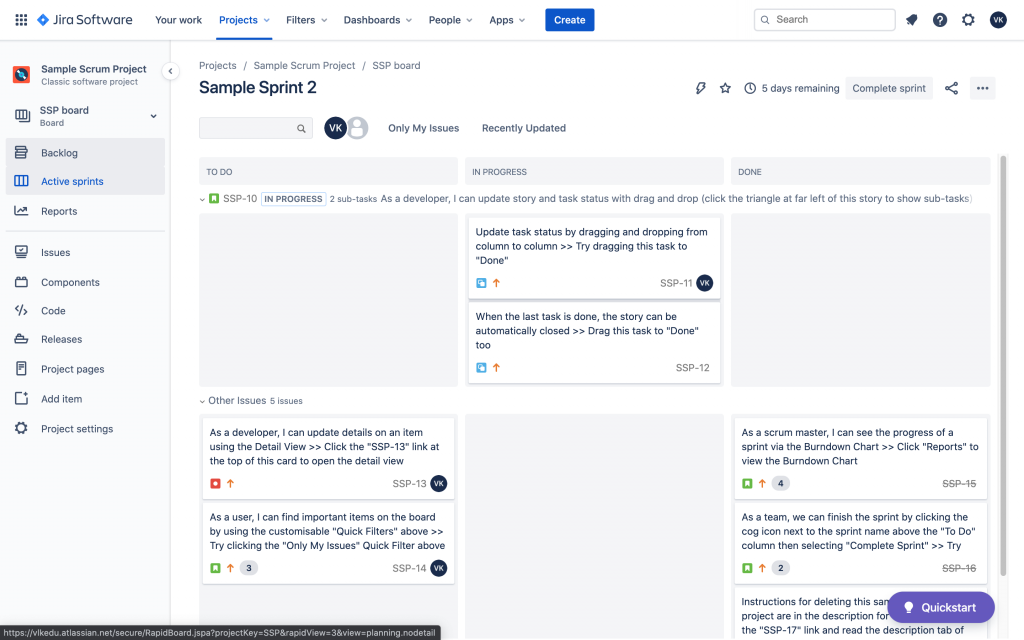
At its core, Jira allows teams to create and allocate tasks, called issues, to different team members. Each issue can be tracked, and its progress is visually represented on a dashboard.
But it doesn’t stop there. Jira is equipped with powerful features that go beyond task tracking. Its versatile system can adapt to different project management styles, whether Agile, Scrum, Kanban, or traditional. When creating a new Jira project, you can select from one of these methodologies, and the appropriate project template will be used.
Plus, Jira’s flexible reporting features help teams understand their productivity, identify bottlenecks, and make data-driven decisions.
Who Uses Jira? #
Jira started in the tech world, but its flexibility means it’s no longer used just for software development projects. Businesses of all shapes and sizes, from startups to Fortune 500 companies, use it to manage their projects.
It is used by various professionals. Project managers use Jira to keep track of tasks and deadlines, software developers use it to manage bugs and new feature requests, and product owners use it to prioritize work and manage their backlog. Even marketing or HR departments can use Jira to organize their work and track their progress.
In short, Jira is a versatile tool for anyone who needs to manage tasks and track progress in a structured way.
Key Features of Jira #
Tasks and Project Tracking #
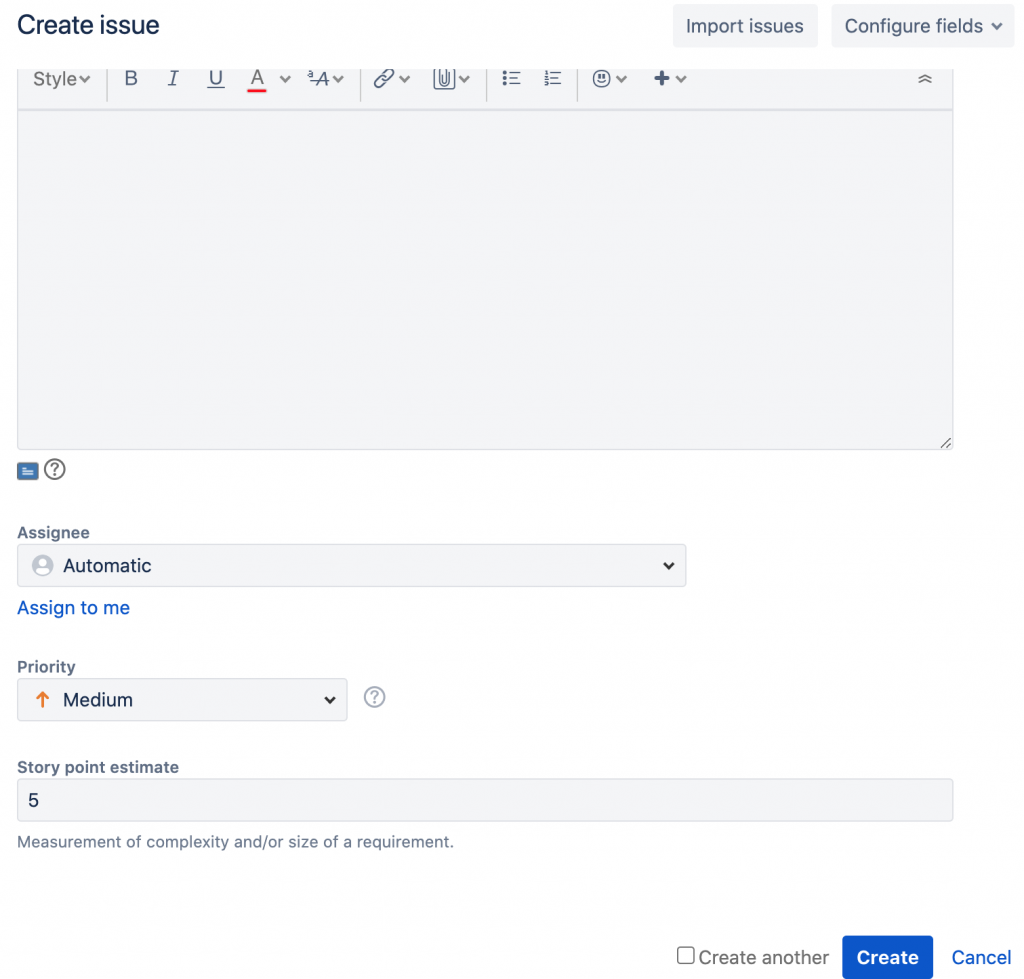
The heart of Jira lies in its superior task and project tracking. Each task or problem, known as an ‘issue’, can be meticulously tracked from initiation to completion. When using Jira Software project, you can create, assign, prioritize, and categorize issues, making project progression transparent and tasks manageable. Deadlines, comments, attachments - every essential detail is visible on the issue page.
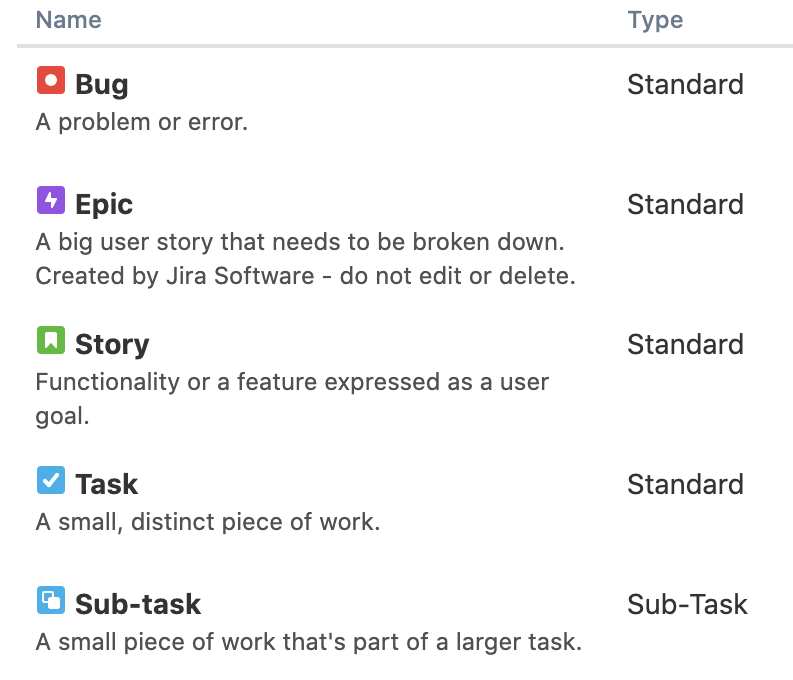
Jira offers various predefined issue types derived from Agile methodologies, including epics, stories, tasks, and bugs. These issue types can be customized to meet specific requirements.
Agile Reporting #
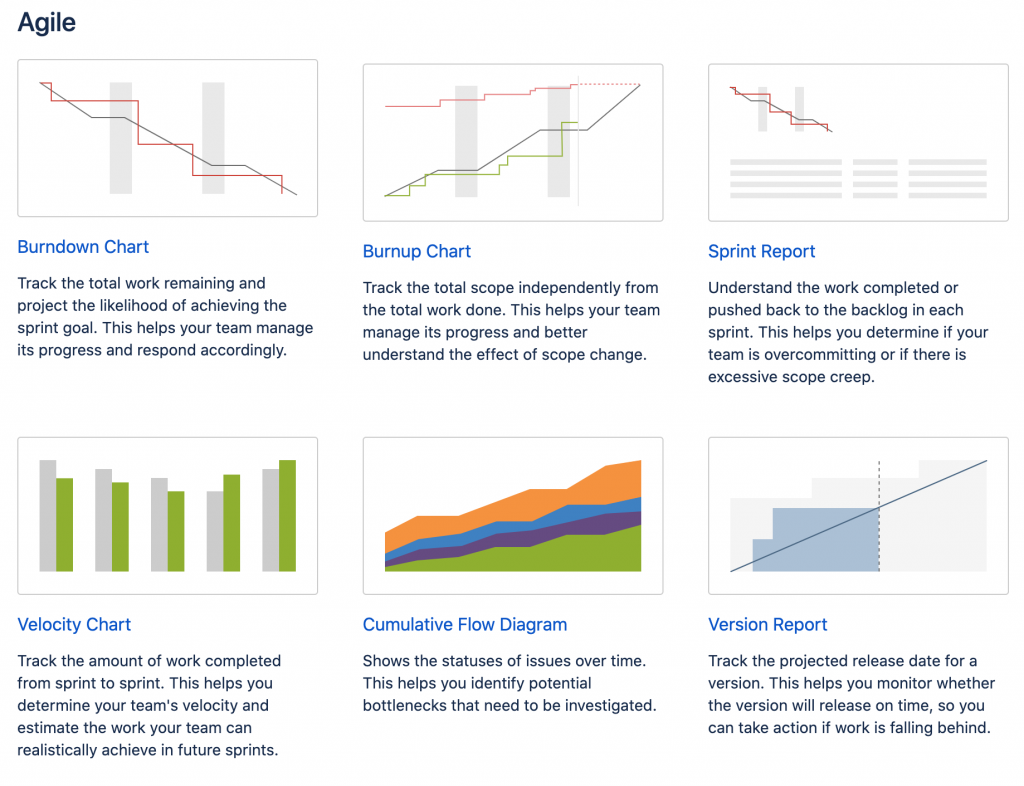
Jira advocates Agile methodologies, and this shines brightly in its Agile reporting feature. It provides teams with useful Agile reports, giving a quick overview of project progress, burn-down/up charts, sprint report, velocity report and more. These insights guide teams to make data-informed decisions, improving their agility and productivity over time.
Project Templates #
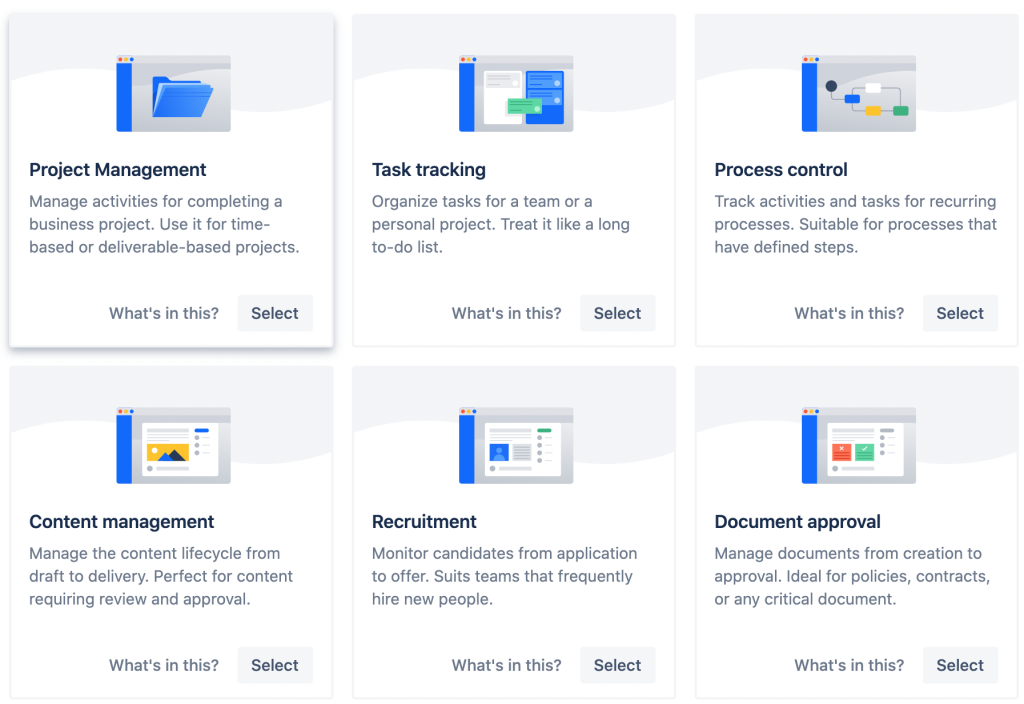
To ensure a quick start for every project, Jira offers a variety of project templates. Whether it’s a software development project following a Scrum methodology or a marketing team operating on a Kanban system, Jira has a pre-configured template. Each template comes with suitable settings, custom fields, and workflows, saving teams the time of setting up from scratch.
Project Boards #
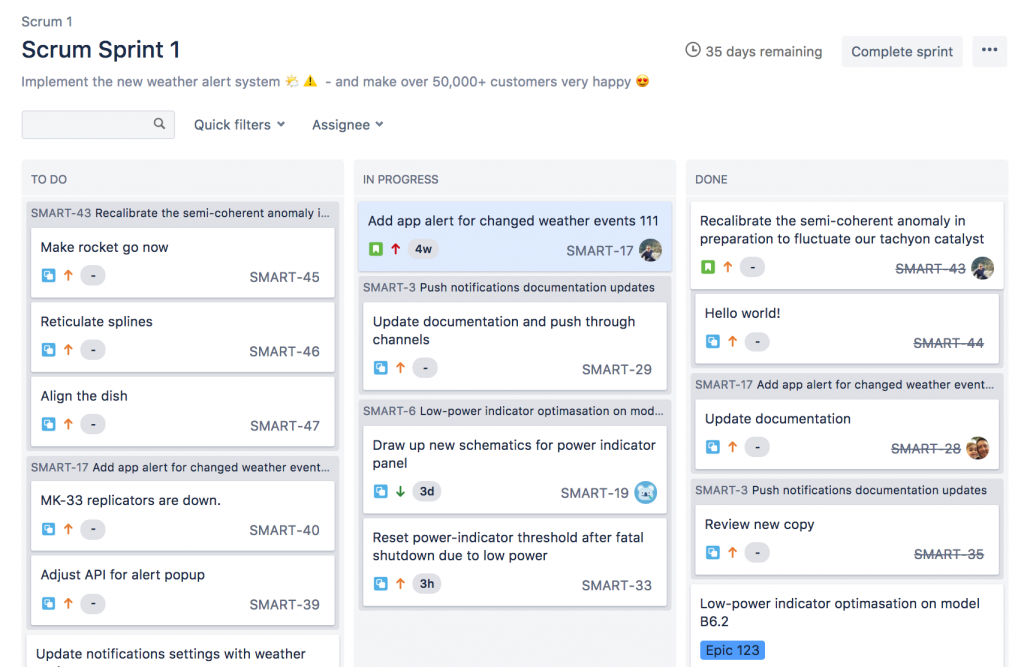
Visualizing your team’s work is key to efficient project management. Jira’s Project Boards serve as a visual platform to organize and prioritize tasks in a flexible and fun way. They come in two flavors: Scrum board for teams that plan their work in sprints and Kanban board for continuous work flow.
Customizable Workflows #
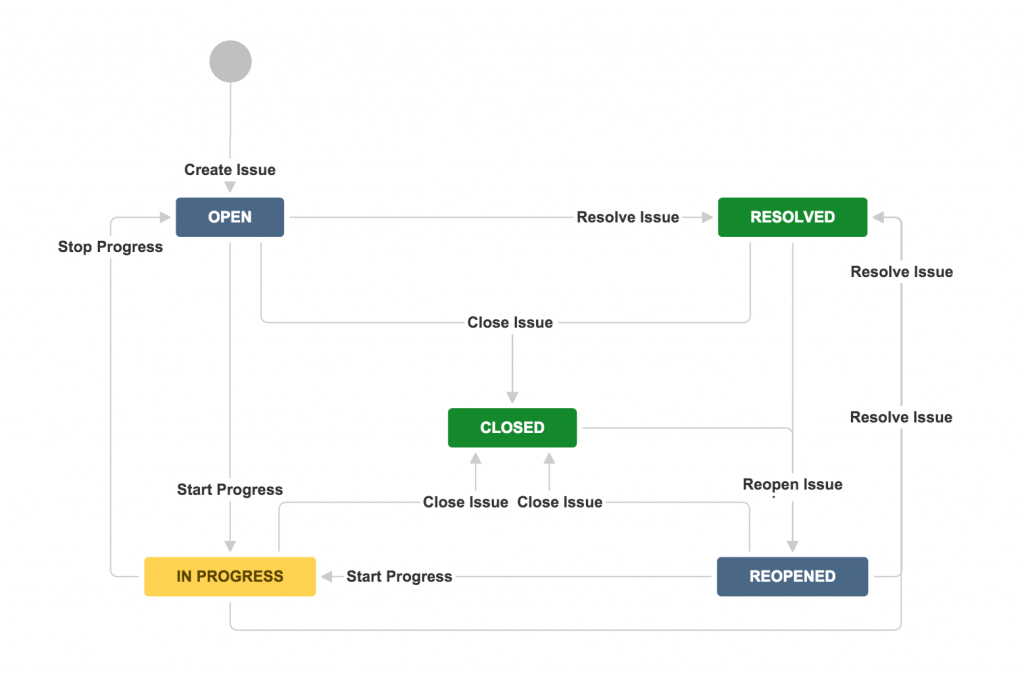
Every project is unique, and so are its workflows. Jira’s customizable workflows allow teams to design a workflow that mirrors their real-life process. Teams can create statuses and transitions, assign roles, and set rules, ensuring that their Jira workflow is a perfect replica of their project’s lifecycle.
Integration Capabilities #
Jira doesn’t exist in isolation. Recognizing that teams use many tools, Jira integrates seamlessly with hundreds of popular software programs. Whether it’s a tie-in with Confluence for enhanced collaboration, Trello for task management, or Slack for communication, Jira’s vast integration capabilities ensure all your tools can work in unison.
What is Confluence? #
History and Development of Confluence #
Like Jira, Confluence’s story begins in Atlassian’s offices. Introduced in 2004, two years after Jira, Confluence was designed to complement Jira’s issue and project tracking with robust content collaboration features. The goal was to create a single source of truth where teams could collaborate and share knowledge efficiently.
Since its inception, Confluence has continuously evolved, with regular updates and feature additions to better serve its user base. Today, it is a comprehensive workspace where teams can create, collaborate, and store documents all in one place.
What Confluence is and Its Primary Functions #
So, what does Confluence do? In essence, it’s a collaboration wiki tool that provides a centralized space for team collaboration. It’s where teams create, organize, and discuss work.
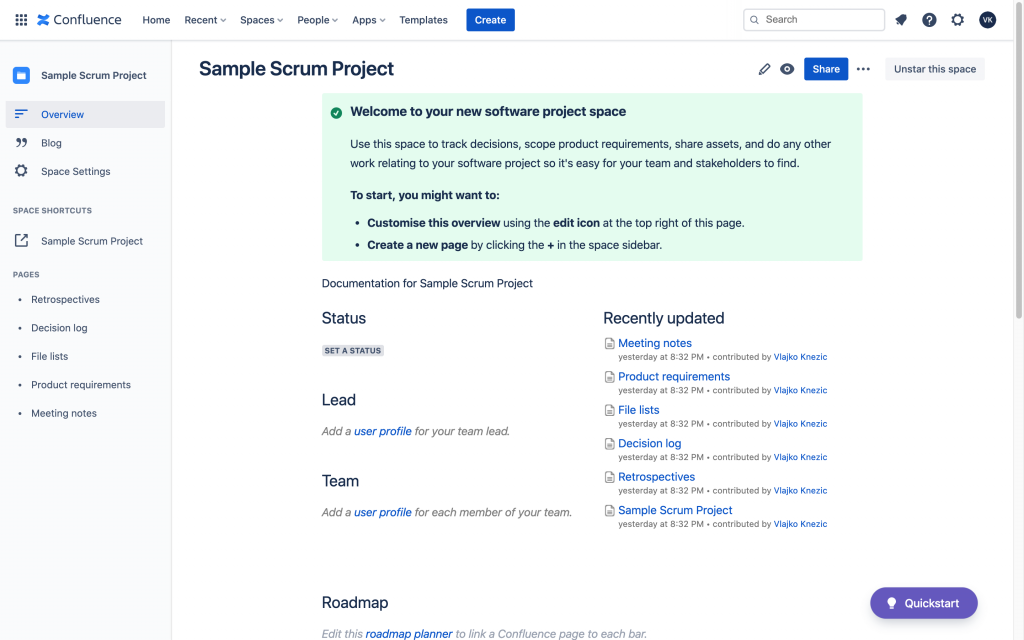
With Confluence, teams can create pages to write product specs, create knowledge-based articles, record meeting notes, and more. Team members can comment on and edit every page, promoting a collaborative working style.
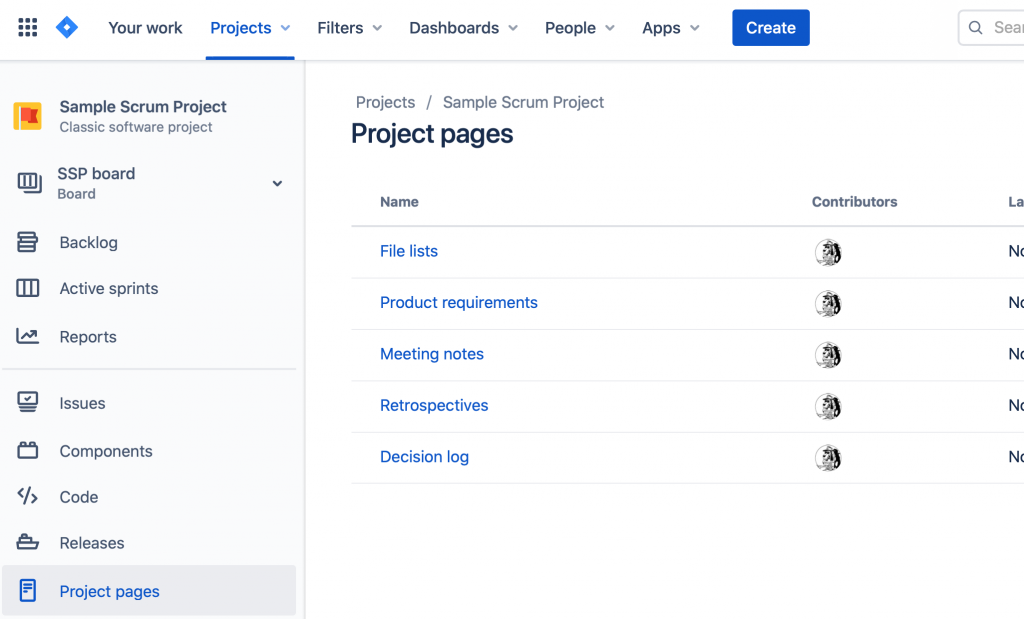
More than just a documentation tool, Confluence also integrates seamlessly with Jira, offering enhanced project transparency and knowledge sharing. By linking Jira issues and Confluence pages, teams can associate project tasks with related documents and discussions, keeping all relevant information in one accessible place.
Who Uses Confluence? #
While Confluence was initially adopted by tech and software companies, its application is industry-agnostic today. It’s used by organizations of all sizes, from small businesses to large corporations, across various sectors.
Roles primarily using Confluence vary widely, including product managers, software developers, technical writers, HR professionals, and even marketing teams. Essentially, anyone who needs a collaborative workspace for content creation and knowledge sharing can benefit from Confluence.
Whether you’re drafting internal policy documents, creating user guides, or planning product roadmaps, Confluence has the flexibility and functionality to support diverse needs.
Key Features of Confluence #
Knowledge Management and Sharing #
Confluence excels as a centralized hub for knowledge management. It enables teams to create, store, and share information all in one place. With its powerful search functionality, users can quickly find and access the necessary information.
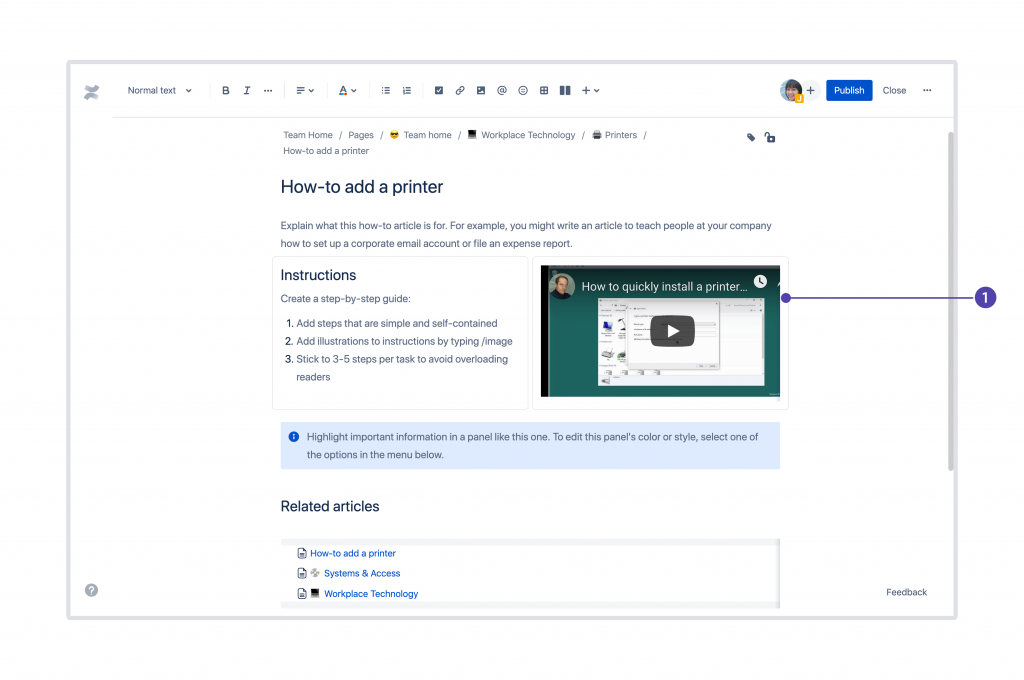
Page Creation and Formatting #
Creating and formatting content is a breeze with Confluence. Its intuitive editor lets you add text, images, multimedia, and dynamic content like macros. With features like tables, lists, and various text styles, users can create rich, organized content without needing advanced technical skills.

Macros #
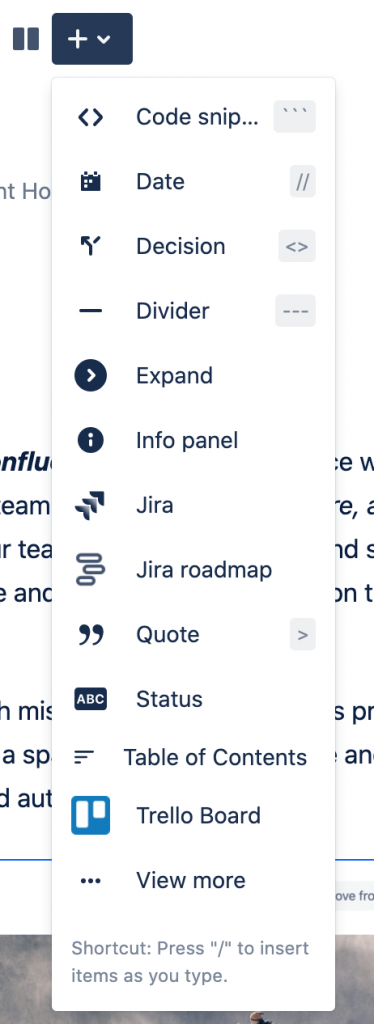
Macros are a unique feature of Confluence that enhances the utility of pages. They allow users to add dynamic content, like a table of contents, a task list, or Jira issues, directly onto a page. This feature greatly expands the functionality and interactivity of Confluence pages.
Collaboration Features #
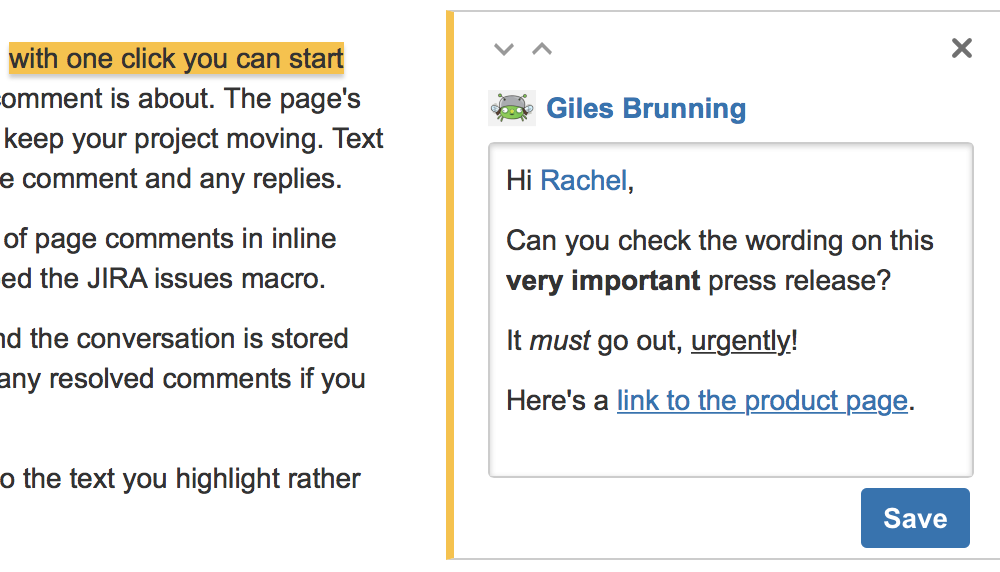
Confluence fosters team collaboration through features like page commenting, inline comments, and @mentions. These features allow for real-time communication and feedback, making collaborative content creation and decision-making more efficient.
Version Control #
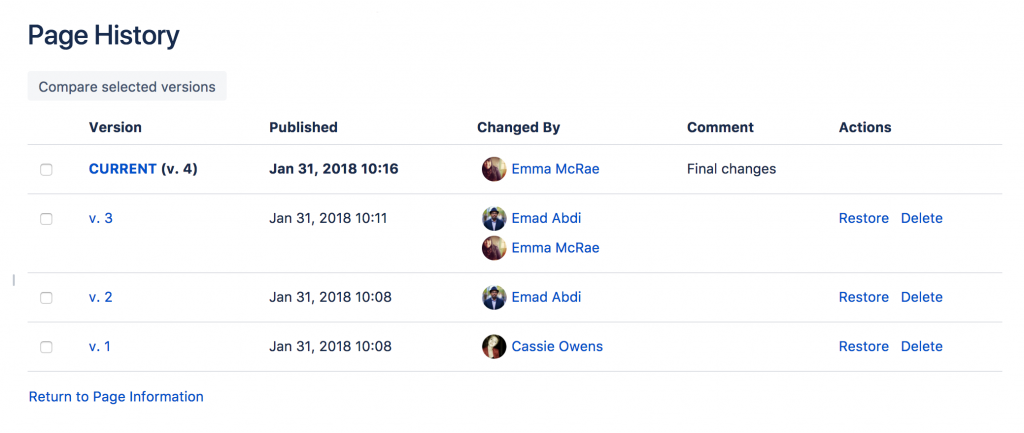
Confluence keeps a detailed history of every page’s versions, tracking all changes made over time. This allows teams to see who made changes, what those changes were, and when they were made. It’s also easy to revert to an earlier version if needed.
Page Templates #
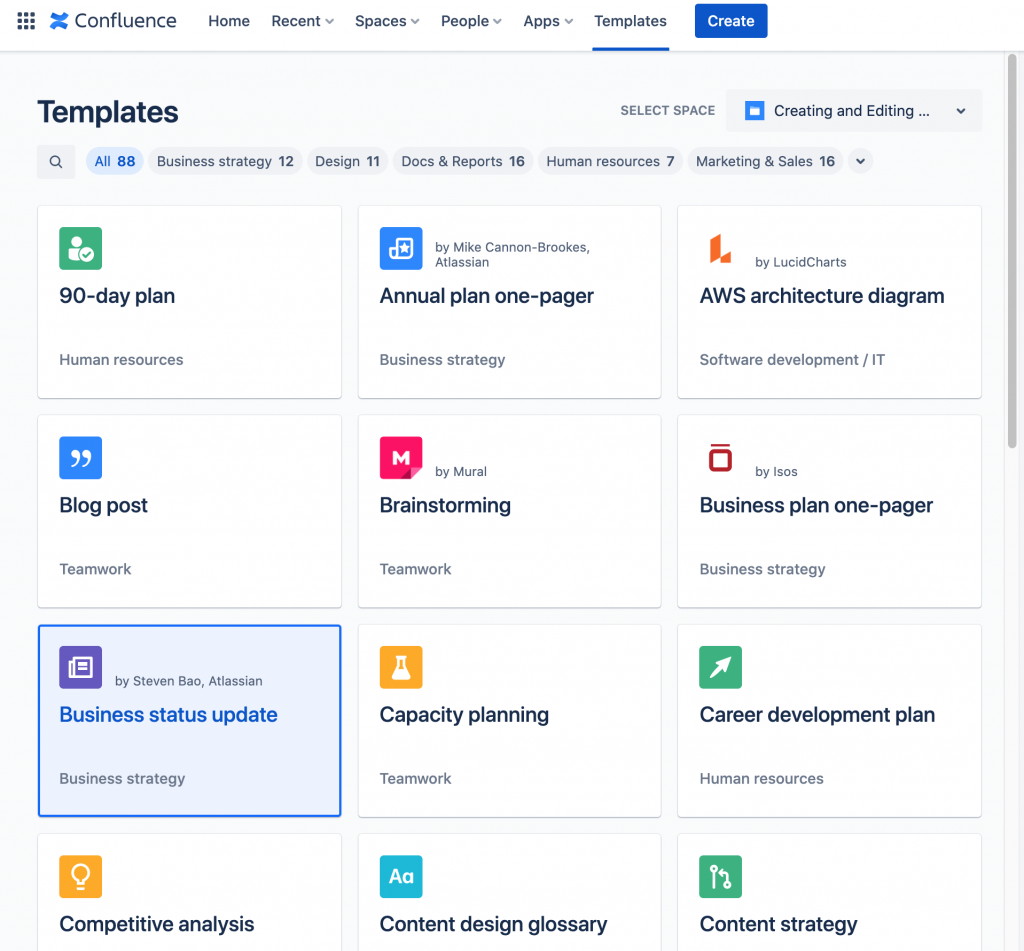
To save time and promote consistency, when you create Confluence pages, you can select from various page templates for various purposes, like meeting notes, project plans, and product requirements. Users can also create their own custom templates, making it easy to standardize content across the team.
Spaces #
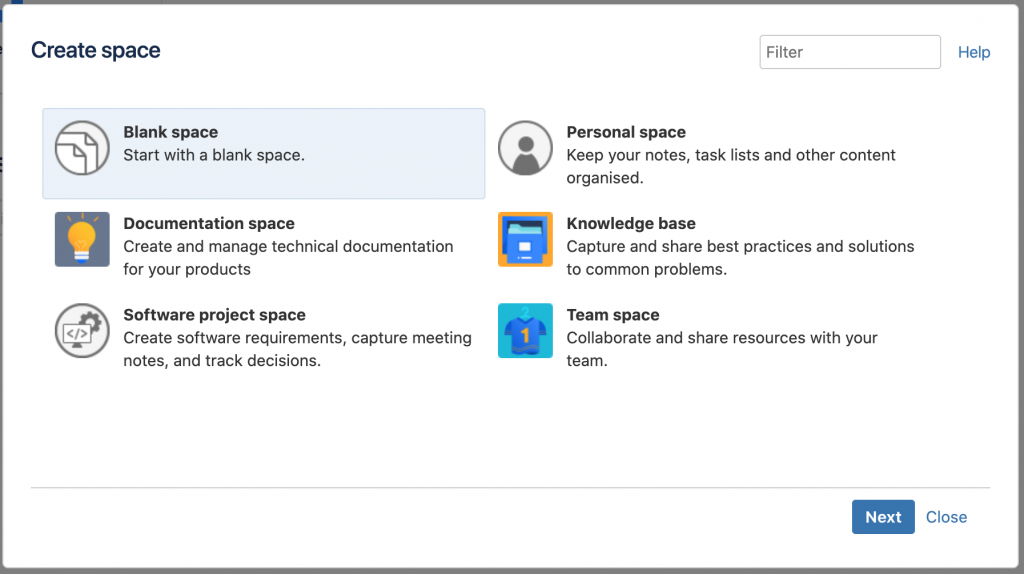
Spaces in Confluence help organize related content into distinct categories. A space can be dedicated to a team, a project, or other related pages. Each space has its own permissions, ensuring that the right information is accessible to the right people.
Integration with Jira and Other Tools #
Just like Jira, Confluence plays well with other tools. Its integration with Jira is particularly powerful, allowing teams to link Jira issues directly to Confluence pages and vice versa. This integration ensures that project documentation in Confluence and task management in Jira go hand in hand. Beyond Jira, Confluence can integrate with many other popular tools, creating a unified work environment.
How Jira and Confluence Work Together #
Confluence and Jira, both Atlassian products, are designed to work seamlessly together, creating a powerful combo for project management and collaboration. Integrating Jira with Confluence and Confluence integration with Jira are fairly simple tasks, and once completed, they clear the path for significant efficiency improvements.
With the Confluence integration, you can link Jira issues directly to the Confluence page, allowing development teams to effortlessly navigate between detailed documentation in Confluence and related tasks in Jira.
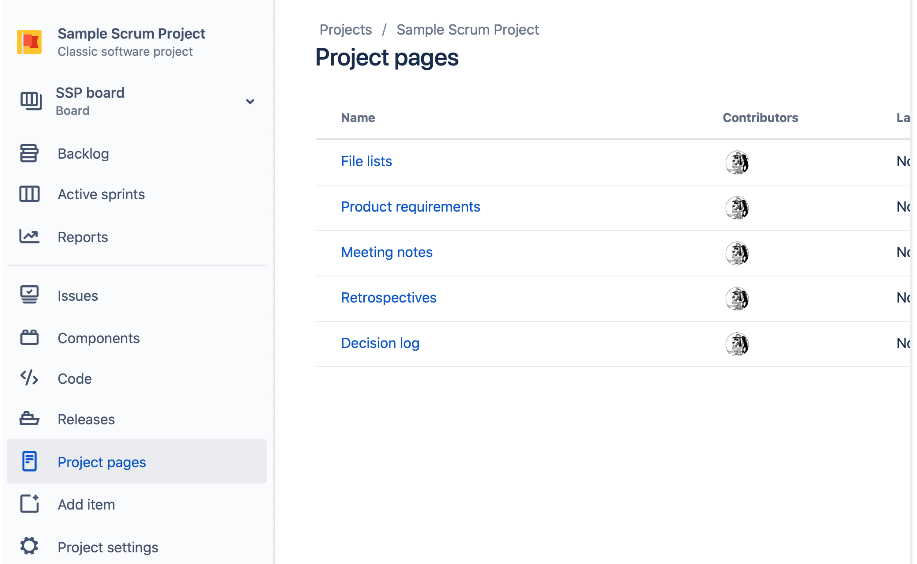
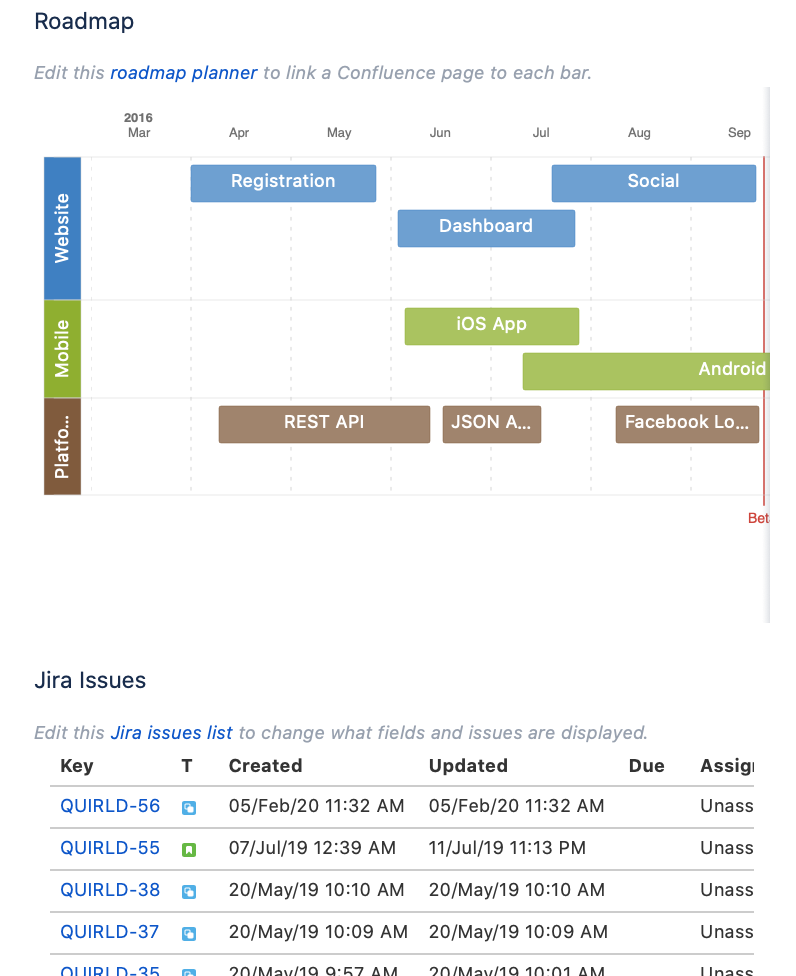
Similarly, by integrating Jira, you can display Jira project roadmaps, reports, or issue lists on the Confluence page using Jira macros, ensuring that everyone stays in the loop.
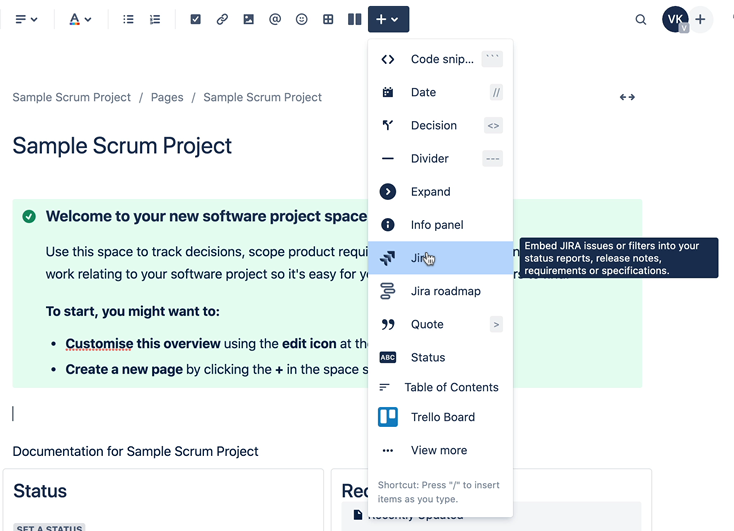
The true power of Jira and Confluence shines when used in tandem, especially in an Agile setting.
Jira excels at organizing, tracking, and managing tasks, while Confluence provides a platform for in-depth discussion, documentation, and knowledge sharing. Together, they cover all the bases for Agile project management.
The dynamic duo allows teams to have a single source of truth. The requirements documented in Confluence become trackable tasks in Jira, and the progression of those tasks in Jira is visible in Confluence. This level of transparency and traceability can significantly boost team alignment and productivity.
Getting Started with Jira and Confluence #
Basic Tips and Guidelines for New Users #
Starting with a new tool can seem daunting, but with Confluence and Jira, you’re in good hands. Here are some tips to get you rolling:
- Understand Your Workflow: Before diving into Jira and Confluence, take a moment to understand your team’s workflow. How does a task progress from inception to completion? Having this mapped out will help you set up your Jira projects and Confluence spaces effectively.
- Start Small: Don’t try to use all the features at once. Start with the basics: creating and assigning issues in Jira and creating pages in Confluence. As you grow more comfortable, start exploring more advanced features like reports and custom workflows.
- Use Templates: Both Confluence and Jira offer pre-made templates for various use-cases. Use them! They can simplify the setup process and can be customized as per your needs.
- Keep it Organized: A well-structured Jira and Confluence setup will save you hours in the long run. Keep your issues, projects, and Confluence pages neatly categorized and consistently named.
- Explore Integrations: Confluence and Jira are powerful on their own, but they’re even better when used together. Also, check out integrations with other tools your team uses.
Available Resources for Further Learning (Tutorials, Community Forums, etc.) #
Ready to learn more? Here are some fantastic resources:
- Atlassian University: This is the official learning platform from Atlassian. It offers free courses and tutorials on both Jira and Confluence. You can even get certified!
- Atlassian Community: A forum where users around the world ask questions, share solutions, and discuss best practices. A great place to find answers to common problems.
- Atlassian Documentation: This is your detailed guide to everything Confluence and Jira. Every feature, every button - it’s all documented here.
- YouTube: Channels like ‘Atlassian’, and individual Jira and individual Confluence videos have tons of helpful material.
- Online Learning Platforms: Websites like Coursera, Udemy, and LinkedIn Learning host several in-depth courses on Jira and Confluence.
Conclusion #
As we navigated through the intricate landscape of Jira and Confluence, the takeaway is crystal clear: these tools are not just about managing projects or documenting information. They are about elevating your work processes to new heights of efficiency and productivity.
Jira, with its exceptional issue tracking, Agile reporting, customizable workflows, and more, allows teams to manage projects seamlessly. It becomes the central hub where all tasks are transparent, predictable, and under control.
On the other hand, Confluence acts as a dynamic knowledge base, eliminating the bottlenecks in information flow. It ensures everyone on the team has the information they need when they need it, promoting effective collaboration.
FAQ #
What is the main difference between Jira and Confluence?
Jira and Confluence are both tools developed by Atlassian, designed to enhance productivity in business environments. Jira is a project and issue management tool for planning, tracking, and releasing software. In contrast, Confluence is a team collaboration tool used to create, share, and collaborate on projects in one place. They are often used together for effective project management and knowledge sharing.
How does the integration between Jira and Confluence work?
Jira and Confluence integrate seamlessly to provide a holistic approach to project management and team collaboration. For instance, teams can link Jira issues directly to Confluence pages, providing contextual information and creating a single source of truth. Similarly, Confluence pages can embed Jira project roadmaps, reports, or issue lists, ensuring all team members are updated and in the loop.
Can non-technical teams use Confluence and Jira?
Absolutely. While Jira and Confluence were initially developed with software teams in mind, their functionality is broad and versatile, making them suitable for all types of teams - marketing, HR, operations, etc. Any team that needs to track tasks, manage projects, and collaborate on work can benefit from Confluence and Jira.
Is it necessary to use Confluence and Jira together?
While Jira and Confluence provide enhanced functionality when integrated, they can also be used individually. Many organizations use only one of the tools based on their specific needs. However, integrating both tools allows for enhanced transparency, traceability, and efficiency in managing tasks and sharing knowledge.
What kind of reports can Jira generate?
Jira offers various reports that help teams track project status and performance. Some of the popular reports include burn-down/up charts, sprint reports, velocity charts, and cumulative flow diagrams. These reports are particularly useful for Agile teams to track their progress and make informed decisions.